FLAC vs ALAC on macOS — what actually matters for a local library
Both are lossless and both decode to the same audio, so the real choice is about tooling, tag handling and file size. Here is the short version for anyone ripping or re-ripping a collection.
Start with the part that settles most arguments.
FLAC (Free Lossless Audio Codec) and ALAC (Apple Lossless Audio Codec) are both lossless. Decode either one and you get back the original PCM, sample for sample. A track encoded to FLAC and the same track encoded to ALAC produce bit-identical audio at the output. There is no sound-quality difference to hear, measure, or argue about.
So the choice is not about fidelity. It is about the boring things — which is lucky, because the boring things are the ones that bite you three years into a collection.
FLAC vs ALAC at a glance
| FLAC | ALAC | |
|---|---|---|
| Full name | Free Lossless Audio Codec | Apple Lossless Audio Codec |
| Developed by | Xiph.Org Foundation | Apple; open-sourced under Apache 2.0 in 2011 |
| Usual extension | .flac | .m4a |
| Codec and container | Both — FLAC defines its own minimal container | Codec inside an MP4 container |
| Tag system | Vorbis comments | MP4 atoms, the iTunes vocabulary |
| Typical size | Smaller, by a few percent | Slightly larger on the same source |
| macOS playback | Yes, through the system media stack | Yes |
| Import in Apple’s Music app | No | Yes |
| Assumed by default on | Linux, Android, Bandcamp, network streamers, archives | Apple hardware and Apple software |
The row that decides it for most people is the second-to-last one. Everything below expands one of these.
Why there is no sound-quality argument to have
-
Encode to FLAC
track.flac
Vorbis comments
Decodes back to the identical samples. Nothing was discarded, so nothing can be missing.
-
Encode to ALAC
track.m4a
MP4 atoms
Decodes back to the identical samples. Same audio at the output as the FLAC above.
What actually differs
Size: FLAC wins slightly, and it rarely matters
FLAC generally compresses a little harder than ALAC on the same source. On one album this is noise. On 40,000 tracks it is a meaningful number of gigabytes, though still nothing next to the difference between lossless and lossy.
FLAC also has a compression level, -0 through -8. It changes encoding time
and a few percent of file size, and it does not change the decoded audio at all.
Every level is lossless.
Apple’s ecosystem: ALAC is the frictionless default, with one caveat
ALAC is Apple’s own codec, so it is the safe choice anywhere Apple software is the only software involved.
FLAC support arrived later across Apple’s stack, but it did arrive: modern macOS decodes FLAC through the system media frameworks, which is why players that hand playback to the system — Digr among them — play FLAC without shipping their own decoder.
The caveat is that playing FLAC and managing FLAC in Apple’s own applications are different questions. Apple’s documentation for the Music app lists five encoders for importing — AAC, AIFF, Apple Lossless, MP3 and WAV — and FLAC is not one of them. If your library lives inside Apple Music, FLAC is a format you can play but not a format Apple Music will produce or organise for you — which is the point where a Mac collection needs something other than the Music app.
Tags: Vorbis comments are simply easier to work with
This is the difference that matters most and gets discussed least.
FLAC uses Vorbis comments — a straightforward key/value scheme with no practical length limit, arbitrary field names, and wide agreement between tools about what the common fields mean. FLAC’s own documentation calls it the only tagging system guaranteed to be supported, which in practice means tools agree about it.
ALAC lives in an MP4 container and uses iTunes-style atoms, which are also fine, but are a narrower vocabulary and historically more inconsistently implemented outside Apple’s own tools. Multi-value fields, unusual classical metadata and custom tags are all more awkward.
If you ever plan to write a script over your library, or to run something like MusicBrainz Picard across it, FLAC’s metadata is noticeably less painful.
Portability: FLAC is the format other software assumes
FLAC is the near-universal lossless format on Linux, on Android, on hi-fi streamers, on Bandcamp downloads, and in the archival world. ALAC plays widely too, but FLAC is the one that is simply assumed.
One concrete case worth knowing before you commit: Google Cast does not support ALAC. Google’s published codec list for Chromecast and Google Home devices covers FLAC up to 96 kHz/24-bit, MP3, AAC, Opus, Vorbis and WAV, and Apple Lossless is not on it. An ALAC library will not cast to a Google speaker without being converted on the way — which is one of four things that can go wrong between a file and a speaker in another room.
So which should you use?
If your collection already exists in one of them, keep it there. Transcoding between two lossless formats is safe — nothing is lost — but it costs hours, rewrites every file’s modification date, and risks mangling tags in bulk. There is no audible reward. Leave it alone.
If you are starting a rip from scratch and use anything other than Apple devices, rip to FLAC. Better compression, better metadata, and the format most other software assumes. The full set of ripping output options, measured puts numbers on the alternatives, and ripping a collection properly covers the rest of the decisions that are expensive to revisit.
If you are deep in Apple’s ecosystem — syncing to an iPhone through Apple’s own apps, using Apple Music’s library for local files — ALAC removes friction that FLAC will occasionally introduce, and the size difference will not change your life.
If you are archiving from vinyl or unusual sources, rip to FLAC and keep the originals. Archival practice has settled on FLAC, and the tools that verify, checksum and re-encode collections are written for it first.
What does not matter
A few things that reliably come up and reliably do not matter:
- Bit depth and sample rate above CD quality. 24-bit/96 kHz files are larger and are not audibly better than 16-bit/44.1 kHz for playback of the same master. If you have them, keep them; there is no reason to seek them out for their own sake. Where a hi-res release genuinely sounds better, it is usually a different master, not a different number.
- FLAC’s compression level.
-5versus-8changes encode time and a small amount of file size. It does not change the decoded audio at all. - The format’s reputation. Neither one is “warmer”. They are both reversible compression, like a ZIP file that knows about audio — and reversible is the whole of what lossless means.
Indexed is not the same as playable
The reason any of this shows up in software is that reading a file and decoding it are separate problems, and they come apart constantly.
Reading a file means parsing its container for tags, artwork and duration. Decoding it means turning the audio stream back into samples, which depends on what codecs the machine actually has.

Digr indexes mp3, flac, alac, m4a, aac, wav and ogg — it reads the
tags, pulls the artwork and files everything into its library regardless of what
the system can play. Decoding is the operating system’s job: on macOS, mp3,
flac, alac, m4a, aac and wav play reliably. When a container turns up
that the system cannot decode, the honest behaviour is to say so on that track
rather than skip silently to the next one and leave you wondering.
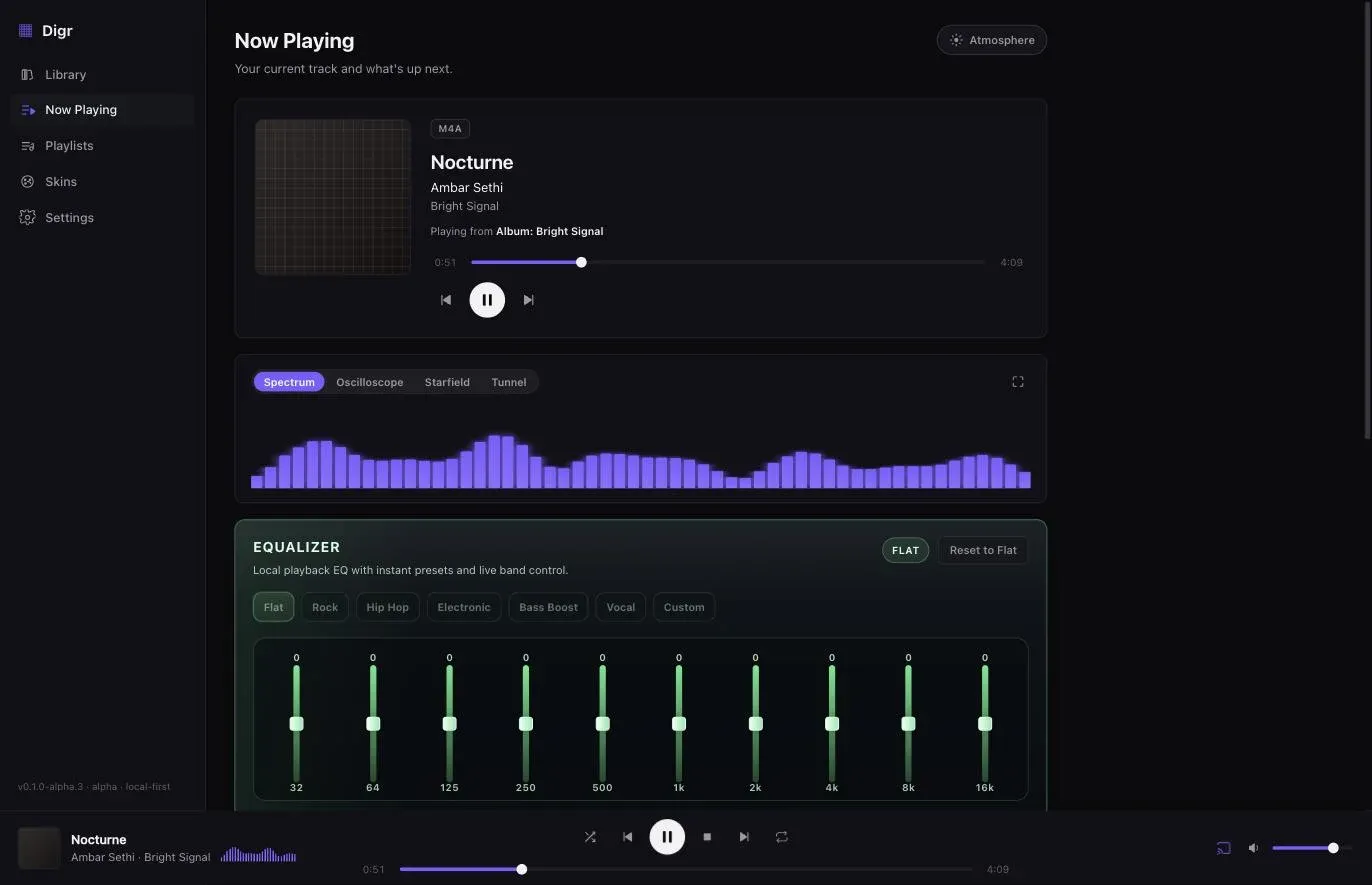
That distinction — indexed versus playable — is worth knowing about any player you use. A format list on a website usually means the first one, and the full seven-format picture makes the gap explicit for every container a collection actually contains.
The one-line version
Both are lossless, so pick on tooling, not on sound. FLAC if you want the smaller files, the better metadata story and the wider world. ALAC if your life is Apple-shaped. Either way: do not transcode a collection you already have.
Sources
- FLAC FAQ — Xiph.Org on FLAC as codec and container, Vorbis comments as the guaranteed tagging system, and compression level not affecting the decoded audio
- Xiph.Org — FLAC comparison — the withdrawn comparison table, and the stated reason for withdrawing it
- Apple Lossless Audio Codec — the Apache 2.0 release, and ALAC’s capabilities beyond CD quality
- Choose import settings in Music on Mac — Apple’s five import encoders: AAC, AIFF, Apple Lossless, MP3 and WAV
- Google Cast — Supported Media — the receiver codec list, in which ALAC does not appear
Common questions
Does FLAC sound better than ALAC?
No. FLAC and ALAC are both lossless, which means decoding either returns the original PCM samples exactly. A track encoded to FLAC and the same track encoded to ALAC produce bit-identical audio at the output, so there is no sound-quality difference to hear or measure. The choice is about file size, metadata and which software reads it comfortably.
Can macOS play FLAC files?
Yes. The macOS system media stack decodes FLAC, so applications that hand playback to the system — including Digr — play FLAC natively. What macOS will not do is import to FLAC: Apple’s documentation for the Music app lists AAC, AIFF, Apple Lossless, MP3 and WAV as the encoding options, and FLAC is not among them. Playing FLAC and managing FLAC in Apple Music are different questions.
Which is smaller, FLAC or ALAC?
FLAC, usually, by a few percent on the same source. Both are lossless, so both land somewhere around half to two-thirds of the uncompressed size, and the gap between them is small enough to be invisible on one album and worth a few gigabytes across forty thousand tracks. It is never a reason on its own to convert a library you already have.
Is an .m4a file lossless?
It depends what is inside it. MP4 is a container, and .m4a files hold either ALAC, which is lossless, or AAC, which is lossy. The extension describes the box rather than the contents, which is why a player that shows you the container — as Digr does — is telling you less than you might assume. FLAC has no equivalent ambiguity, because a .flac file is always FLAC.
Should I convert my FLAC library to ALAC, or the other way round?
Almost never. Transcoding between two lossless formats is safe in that nothing is lost, but it takes hours on a large collection, rewrites every file’s modification date, and risks mangling tags in bulk — for no audible reward at all. Convert only if a specific piece of software you have decided to use cannot read what you have.
- FLAC
- ALAC
- lossless
- macOS
- ripping