Music file formats explained: FLAC, ALAC, WAV, AIFF, MP3, AAC and OGG
What separates the seven formats a music collection actually contains — codec from container, lossless from uncompressed, and which ones your software will read, tag and play.
Seven acronyms, three genuinely different things. WAV and AIFF store audio uncompressed. FLAC and ALAC compress it losslessly, so decoding returns the original samples exactly. MP3, AAC and Vorbis compress it lossily, discarding parts of the signal permanently. For a library you intend to keep, rip to FLAC unless your workflow runs through Apple’s own applications, in which case ALAC; make the lossy copies from the archive afterwards and treat them as disposable. Why that is the answer, with the round trip verified is the longer form of that one sentence.
Most format guides open with a list instead. The list is the least useful part, because the acronyms are not comparable with each other: two of them are containers, one is a codec that is usually confused with its container, and the rest describe what happens to your audio rather than how it is stored.
So start with the distinction that makes the rest legible.
A codec is not a container
A codec is the algorithm. It decides how the audio is represented — how many bits describe a moment of sound, and whether any of them are thrown away.
A container is the file wrapper. It holds one or more codec streams plus everything that is not audio: tags, artwork, chapter marks, track numbers.
Xiph.org, who develop FLAC, put it as two layers: the inside layer is the raw compressed data, and the outside layer is the container or transport that carries it. Almost every format argument that goes in circles is two people comparing different layers.
This is why the extension on a file does not always tell you what is inside it.
An .m4a might contain ALAC, which is lossless, or AAC, which is not. Same
container, same extension, completely different answer to “have I lost
anything?”. Meanwhile .flac is unambiguous, because FLAC defines both layers
at once: a codec and a deliberately minimal container built only to carry it.
What each family does to the audio
-
Uncompressed
WAV · AIFF
≈ 42 MB for four minutes
Every sample written out as it is. Nothing to decode, nothing to reverse, and no saving.
-
Lossless
FLAC · ALAC
typically 50–70% of that
Compressed by prediction, like a ZIP that understands audio. Decoding returns the original samples exactly.
-
Lossy
MP3 · AAC · Vorbis
≈ 7.7 MB at 256 kbit/s
A psychoacoustic model decides what you were unlikely to hear and discards it. That decision cannot be undone.
The three things that can happen to audio
Uncompressed means the samples are written out as they are. A CD stores 44,100 samples per second per channel, two bytes each, two channels. Multiply it out and you get 176,400 bytes per second — about 10 MB a minute — regardless of whether the track is a silent pause or a wall of noise. WAV and AIFF are both this. Those two figures are the sample rate and the bit depth, and what each of them actually determines is the most consistently misexplained pair of numbers in digital audio.
Lossless compression finds structure in the waveform and encodes it more efficiently. It is fully reversible: decode a FLAC file and you get back the identical samples, bit for bit. FLAC’s own documentation notes that the resulting bitrate is roughly proportional to how much information is in the signal — near the input rate for noise, near nothing for silence. This is why compression ratios vary so much between albums and why any single “FLAC is X% smaller” figure is only true of whatever was measured. What bitrate means in each of the three systems has the measured span, which turns out to be wider than most people expect.
Lossy compression uses a psychoacoustic model: it predicts which parts of the signal a listener is unlikely to notice and spends fewer bits — or none — on them. The result is much smaller and permanently different from the source. MP3, AAC and Vorbis all work this way, with different models and different efficiencies.
Two consequences follow, and both matter more than most format advice:
- Two lossless files of the same source are identical audio. A FLAC and an ALAC made from the same CD track decode to exactly the same samples. There is no sound-quality argument to have between them, only a tooling argument — and that one has its own article.
- Lossy is a one-way door. Converting an MP3 to FLAC makes a large file that contains exactly the damaged audio the MP3 already contained. Nothing is recovered. The only thing that grows is the file — and what the encoder discarded, it discarded permanently.
The seven formats, individually
FLAC — Free Lossless Audio Codec
Codec and container in one. Open, patent-free, with a published test suite, and the default assumption almost everywhere that is not Apple: Linux, Android, Bandcamp downloads, network streamers, and the archival world.
Tags are Vorbis comments — plain key/value pairs with arbitrary field names and no practical length limit. FLAC’s documentation calls this the only tagging system guaranteed to be supported, which in practice means tools agree about it. Artwork embeds in a dedicated metadata block.
FLAC also has a compression level, -0 through -8. It changes encoding time
and a few percent of file size. It does not change the decoded audio at all —
every level is lossless.
ALAC — Apple Lossless
Apple’s lossless codec, open-sourced under the Apache 2.0 licence in 2011 and
supported across everything Apple makes. It normally lives in an MP4 container
with an .m4a extension, which is where the confusion with AAC comes from.
Technically it is capable well beyond CD: 16, 20, 24 and 32-bit depths, sample rates up to 384 kHz, and up to eight channels. In a music library it is the natural choice if your workflow runs through Apple’s own applications, and a source of small frictions if it doesn’t.
WAV — uncompressed PCM in a RIFF container
A Microsoft/IBM RIFF container holding, almost always, uncompressed PCM. It is the most universally readable audio file in existence and the worst place to keep a music library, for one reason: metadata.
WAV has no tagging system anyone agreed on. There are conventions — a LIST
INFO chunk, an ID3 chunk bolted on by some software — and support for them is
inconsistent enough that tags written by one program routinely vanish in
another. For a collection where artist and album have to survive a decade of
tool changes, that is disqualifying.
It is worth knowing why archives still specify it. The Library of Congress’s Recommended Formats Statement lists uncompressed WAVE with embedded metadata (Broadcast WAVE) above lossless compression for audio deposits. That is a preference for the format a national institution wants to receive, backed by staff, checksums and managed storage. Your circumstances are different: you want metadata that survives, and you are not being paid to look after the bytes.
AIFF — Apple’s uncompressed format
Apple’s equivalent of WAV, from 1988, also uncompressed PCM. The practical difference is byte order — AIFF is big-endian, WAV little-endian — which is invisible to you and matters only to whoever wrote the decoder. AIFF’s metadata situation is marginally better than WAV’s because ID3 chunks are more commonly handled, but “marginally better than WAV” is not a recommendation.
MP3 — MPEG-1/2 Audio Layer III
The lossy format that will not die, and should not: it plays on absolutely everything, and the last patents expired in 2017. Tags are ID3, which is well-supported but has its own history of version disagreements (ID3v1’s fixed 30-character fields, ID3v2’s frames).
At 320 kbit/s a competently encoded MP3 is transparent to most listeners on most material. It is not the most efficient option per bit, which only matters when bits are scarce.
AAC — Advanced Audio Coding
MPEG’s successor to MP3 and meaningfully better per bit at lower rates — the
gap is real at 96–128 kbit/s and mostly closes by 256. Normally in an MP4
container, again as .m4a, with the same tag atoms ALAC uses. This is what
Apple’s ecosystem produces by default, and what most streaming services deliver.
OGG — a container, not a codec
Ogg is a container, not a codec. Xiph’s own description is unambiguous: a multimedia container format, and the native file and stream format for Xiph’s codecs. The codec people mean when they say “OGG” is almost always Vorbis, a lossy codec that happens to be carried in Ogg. Opus is also carried in Ogg, and so, occasionally, is FLAC.
So “is OGG lossless?” has no answer. Vorbis-in-Ogg is lossy. FLAC-in-Ogg is lossless. The extension told you about the box, not the contents.
Vorbis is competitive with AAC and unencumbered by patents, which is why it turned up in games, on Wikipedia and in Spotify’s early clients. In a personal collection it mostly appears in files acquired from somewhere that preferred open formats.
Every format compared: compression, tags, size and support
| Format | Codec / container | Compression | Tag system | 4-min track | macOS plays | Digr indexes | Digr plays |
|---|---|---|---|---|---|---|---|
| FLAC | Codec + own container | Lossless | Vorbis comments | ≈25 MB | Yes | Yes | Yes |
| ALAC | Codec in MP4 (.m4a) | Lossless | MP4 atoms | ≈25 MB | Yes | Yes | Yes |
| WAV | RIFF container, PCM | None | None agreed | ≈42 MB | Yes | Yes | Yes |
| AIFF | Container, PCM | None | ID3 chunk, patchy | ≈42 MB | Yes | No | No |
| MP3 | Codec, own stream | Lossy | ID3v1 / ID3v2 | ≈7.7 MB | Yes | Yes | Yes |
| AAC | Codec in MP4 (.m4a) | Lossy | MP4 atoms | ≈7.7 MB | Yes | Yes | Yes |
| Vorbis | Codec in Ogg (.ogg) | Lossy | Vorbis comments | ≈7 MB | Not reliably | Yes | No |
Lossless sizes vary with the material; lossy figures assume 256 kbit/s. The last three columns are the ones that get people, and they deserve more than a tick.
Note the two disagreements in Digr’s own columns. OGG is indexed but not played — the file is filed correctly, with its tags and artwork, and then reports a decode error when you press play. AIFF is neither: it is not in Digr’s indexer at all today, so an AIFF sitting in a watched folder is simply not seen, even though macOS would play it perfectly well. Both are honest gaps rather than opinions about the formats, and the second is the more annoying one if you have a shelf of AIFFs.
Indexed is not the same as playable
Software talks about “supported formats” as though it were one property. It is two, and they come apart constantly.
Reading a file means parsing its container for tags, artwork and duration. That is a metadata problem, and it is comparatively easy — a library tool can file a track correctly without ever decoding a sample of it.
Playing a file means decoding the audio stream, which depends on what codecs
the machine actually has. On macOS, applications that hand playback to the
system media stack inherit whatever that stack decodes. MP3, AAC, ALAC, WAV and
FLAC are all handled there. Vorbis-in-Ogg is not reliably handled, which is why
.ogg files can sit in a library looking perfectly healthy and then refuse to
play.
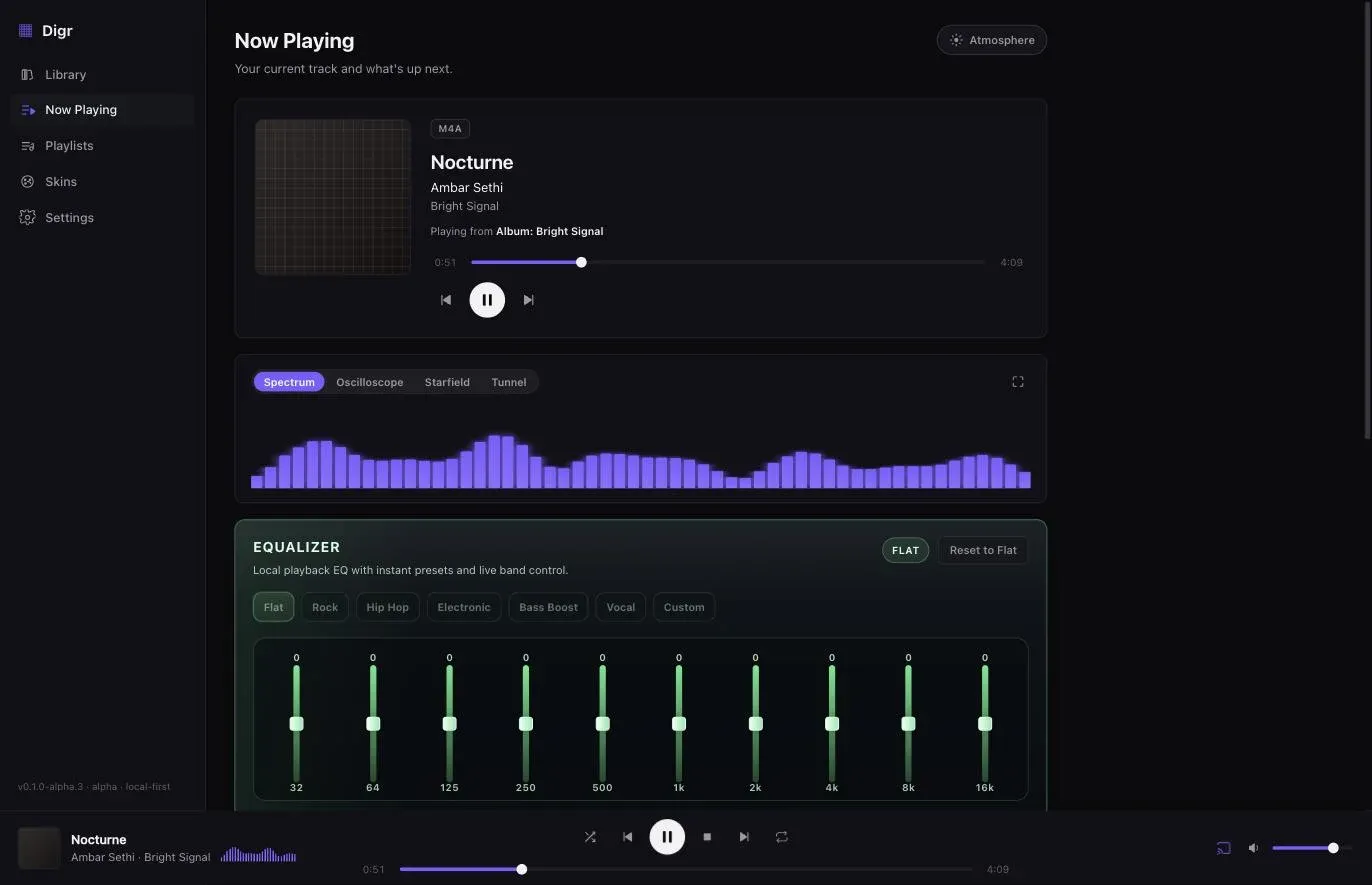
Digr is a concrete example of the split, because it is honest about it: it indexes MP3, FLAC, ALAC, M4A, AAC, WAV and OGG — reading tags and artwork from all seven — while local playback goes through the macOS media stack, so an OGG file is filed correctly and reports a decode error rather than being skipped in silence. A Digr-side decoder for the containers macOS will not play is roadmap work, not something that exists today. The general lesson holds for any player: a format list on a website is usually the indexing list.
How format support differs across the software people actually use
These are five different kinds of program, and the differences matter more than any feature list. Check the current format support of whichever you use rather than trusting this — including Digr’s, which is the row most likely to change.
| Software | What it is | Where formats bite |
|---|---|---|
| Music (macOS) | Apple’s library manager, tied to the Apple ecosystem | Apple’s own documentation lists AAC, AIFF, Apple Lossless, MP3 and WAV as its encoding options. FLAC is not on that list — the single most common reason a FLAC collector goes looking for something else |
| VLC | A media player, not a library | Plays very nearly anything, including Ogg Vorbis. It will not organise a collection, and is not trying to |
| Audirvana | A paid library player aimed at local high-resolution playback | Positioned squarely at the lossless local-file audience; a licence, not a subscription-to-a-catalogue |
| Roon | A library server plus remotes plus endpoints | An always-running Server indexes your files; Remotes control it; audio goes out over RAAT, AirPlay or Chromecast. Subscription |
| Digr | A local library and player, macOS only, alpha | Indexes seven containers, plays six of them, does not index AIFF, and casts over Google Cast only |
The pattern worth taking away: a player decodes, a library indexes, and a server does both and then hands the audio somewhere else. Formats break at different points in each, which is why “does it support FLAC?” is not one question.
So which audio format should you use?
- Ripping your own CDs, not tied to Apple’s applications: FLAC. Best metadata story, widest assumption, smallest lossless files — and the rest of the ripping decisions are worth settling before disc one.
- Ripping your own CDs, living inside Apple’s applications: ALAC. It removes friction that FLAC will occasionally introduce, and the size difference will not change your life.
- A copy for a phone, a watch or a car: AAC if the destination is Apple or reasonably modern, MP3 if it has to play on absolutely anything. Generate it from the lossless copy and treat it as disposable.
- Archiving: whichever lossless format you can still read in ten years, which today means FLAC unless you have an institutional reason to deposit uncompressed WAVE. FLAC also carries an MD5 checksum of the unencoded audio in every file, which makes it possible to find out later that a file has rotted — the part of a backup scheme most people skip.
- A collection that already exists in a sensible lossless format: leave it alone. Transcoding between lossless formats is safe but costs hours, rewrites every modification date and risks mangling tags in bulk, for no audible reward.
The one bad move is converting upward — taking something lossy and re-encoding it as FLAC to make it feel archival. It does not become archival. It becomes a large file with the same holes in it.
Choosing the format is one decision; choosing the software that will manage a library of it is another, and which applications actually manage a FLAC library compares ten of them on tag writing, gapless playback and ReplayGain rather than on whether they open the file.
Sources
- FLAC FAQ — the codec/container layering, Vorbis comments, bitrate proportional to signal information
- RFC 9639 §8.2 — the FLAC STREAMINFO block — the MD5 checksum of the unencoded audio data carried in every FLAC file
- Ogg — Ogg as a container format, not a codec
- Apple Lossless Audio Codec — Apache 2.0 licence, bit depths, sample rates, channel counts
- Library of Congress Recommended Formats Statement — Audio Works — Broadcast WAVE preference for deposited audio
- Choose import settings in Music on Mac — Apple’s five import encoders: AAC, AIFF, Apple Lossless, MP3 and WAV, with no FLAC option
Common questions
What is the difference between a codec and a container?
A codec is the algorithm that decides how the audio is represented and whether any of it is discarded. A container is the file wrapper that holds one or more codec streams plus everything that is not audio: tags, artwork and track numbers. MP4 is a container that can hold either ALAC or AAC, which is why an .m4a file may or may not be lossless. FLAC is unusual in defining both layers at once.
Which audio format is best for a music library?
FLAC, for most people. It is lossless, it has the most reliable tagging story through Vorbis comments, it produces the smallest lossless files, and it is the format other software assumes. Choose ALAC instead if your workflow runs through Apple’s own applications, and generate AAC or MP3 copies from the lossless archive for phones and cars rather than ripping twice.
Is OGG lossless?
The question has no single answer, because Ogg is a container rather than a codec. Vorbis carried in Ogg is lossy. FLAC carried in Ogg is lossless. Opus in Ogg is lossy. When people say OGG they almost always mean Vorbis, so in practice an .ogg file you encounter is usually lossy — but the extension describes the box, not the contents.
Does converting an MP3 to FLAC improve it?
No. Lossy compression is a one-way door: the psychoacoustic model has already discarded parts of the signal permanently, and encoding what remains as FLAC preserves exactly that damaged audio in a much larger file. Nothing is recovered and nothing becomes archival. The only thing that grows is the file size.
Why does WAV keep losing its tags?
Because WAV has no tagging system anyone agreed on. It is a RIFF container, and the conventions that exist — a LIST INFO chunk, an ID3 chunk bolted on by some software — are supported inconsistently enough that tags written by one program routinely vanish in another. For a collection whose artist and album names have to survive a decade of tool changes, that is disqualifying.
How much space does a four-minute track take in each format?
Uncompressed WAV or AIFF at CD quality is about 42 MB, which is arithmetic: 44,100 samples a second, two bytes each, two channels, 240 seconds. Lossless FLAC or ALAC of the same track typically lands between half and two-thirds of that, around 25 MB, varying with the material. A lossy file at 256 kbit/s is about 7.7 MB regardless of what the music is.
- FLAC
- ALAC
- WAV
- AIFF
- MP3
- AAC
- Vorbis
- codecs