Best local music players for a collection you own
Ten desktop applications for a library on your own disk, sorted by architecture before features — which need a server, which need an account, which will rewrite your tags, and what each one costs.
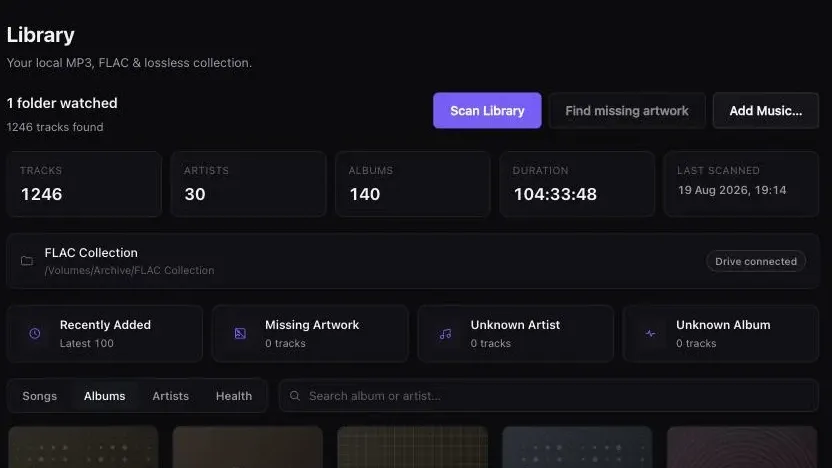
Start with the architecture, not the brand. “Local music player” now covers five different arrangements, and which one you pick decides more than which logo you pick: whether a second machine has to be awake before you hear anything, whether an account is involved, whether your tags get rewritten, and what year two costs.
If you want one application that reads a folder and plays it, the strong answers are Swinsian on macOS, MusicBee on Windows, and foobar2000 on either. If you want one library that several rooms and devices reach, that is a server, and Roon is the mature version of it. If your collection is already inside Apple’s ecosystem and an iPhone is involved, the Music app is still the right answer. Digr is on this list as a macOS-only alpha with no tag editing and no gapless playback, and it loses several rows below.
Competitor facts and prices in this article were checked on 27 August 2026, each against that product’s own site, documentation or support pages. Every source is listed at the foot. Software and pricing move; where a figure decides your purchase, open the vendor’s page before you pay.
The Android players this search returns, and why they are not here
Search for “best local music player” and roughly half of what comes back is about phones. On the day this article was written the first screen carried Android Authority’s Android roundup, an XDA piece about Android Auto, HowToGeek’s Android list and an AndroidHeadlines page whose own title says it was updated in January 2023.
Poweramp, Pulsar, Symfonium, Neutron and jetAudio are genuinely good and they are not what this article compares. They index the storage on a phone. The question here is which application should own a collection that lives on a computer or an external drive — which is a different job, with different failure modes, and it is the job the results above mostly do not address.
One consequence worth naming: none of those pages can tell you what happens at fifty thousand tracks, what happens when the external drive is unplugged, or which application will rewrite your tags on import.
Five architectures, and the one you choose first
Before any feature comparison, sort the field by what has to be running for music to come out.
Five arrangements behind one category name
-
Desktop-local
One application, your folder, an index on your disk
Swinsian · MusicBee · Doppler · Audirvāna · Strawberry · Digr
Nothing else has to be awake. The library lives on the machine you are sitting at, and reaches exactly as far as that machine does. Simplest to reason about, and the hardest to share between rooms.
-
Server plus client
A server owns the library; clients control it
Roon · Plexamp
Roon’s own documentation calls the Roon Server “the brain of your system”. Plexamp needs a Plex Media Server for personal music. You gain several devices reaching one library; you pay for it with a machine that never sleeps, and an account.
-
Media centre
Audio is one media type among several
JRiver Media Center
JRiver describes itself as handling “audio, image, television, & video”, with DLNA on top. Broader than any pure music player here, and the breadth is the point rather than a side effect.
-
Component player
A small core, and you assemble the rest
foobar2000
Free, on four platforms, with gapless playback and full ReplayGain in the base product and almost everything else supplied by components. The most capable per pound on this page, and the least finished out of the box.
-
Ecosystem library
The library is partly a service
Apple Music app
Local files work with no subscription. Turn on Sync Library and the library becomes something Apple hosts — which is the feature people want and also the moment the arrangement stops being local.
The first row and the last row are the two ends of a real argument rather than a technical detail. A single application reading a folder is what local-first actually means: if the vendor disappeared tonight, tomorrow you would still have the files and something that opens them. An ecosystem library is a different trade, and the trade is the same one streaming asks you to make, in a milder form.
The comparison
Ten applications, every cell from that product’s own documentation. Unverified
means the vendor does not document it and this article will not guess.
| Platforms | Server | Account | Writes your files | Tag editing | Gapless | ReplayGain | Network out | |
|---|---|---|---|---|---|---|---|---|
| Swinsian | macOS | No | No | Yes, when asked | Yes — regex find and replace | Yes | Reads ReplayGain and SoundCheck | AirPlay |
| MusicBee | Windows | No | No | Yes — auto-tagging | Yes | Yes | Unverified | Unverified |
| foobar2000 | Windows, macOS, Android, iOS | No | No | Yes | Yes | Yes | Yes — full support | Components only — unverified |
| Doppler | macOS, iOS | No | No | Yes — metadata editing | Yes | Not stated | Not stated | Not stated |
| Audirvāna | macOS, Windows, Linux | No | Vendor account, for licensing | Not stated | Not stated | Not stated | Not stated | USB DAC and wireless connection |
| Roon | Server on macOS, Windows, Linux or a NAS | Required | Free Roon account | Not stated | Not stated | Not stated | Not stated | Roon Ready, USB, HDMI, AirPlay, Chromecast, SONOS, Bluetooth |
| Plexamp | Broadly available | Plex Media Server | Plex account | Server-mediated | The server owns metadata | Not stated | Not stated | Chromecast, AirPlay |
| JRiver Media Center | Windows, Mac, Linux | Optional | No | Yes | Yes | Not stated | Not stated | DLNA |
| Music app | macOS, iOS, iPadOS, Windows | Cloud, if you turn it on | Apple Account, for Sync Library | Yes — copies into its Media folder | Yes | Not stated | SoundCheck | AirPlay |
| Digr | macOS, Apple silicon only. Alpha | No | No | No — never | No | No | No | Google Cast only |
Minimum operating-system versions are deliberately not in that table — they are the fastest-rotting numbers on the page and they are in the sources at the foot, dated. The short version: Swinsian needs macOS 10.13, foobar2000 needs macOS 11 or Windows 7, Doppler needs macOS 11, Audirvāna needs macOS 10.15 or 64-bit Windows 10, Roon’s server needs macOS 12 or Windows 10, and Digr needs macOS 11 on Apple silicon.
Three cells deserve a sentence rather than a tick.
Roon’s server is not optional and not a background detail. Roon’s own page describes the Roon Server as the thing that “manages your music files, streaming services, and your audio devices”. Something has to run it — a Mac, a PC, a Linux box, a supported NAS, a Nucleus or a mini-PC running ROCK — and Roon’s requirements page also states that “a free Roon account is required”.
The Music app copies your files. Apple documents two different commands:
File > Add To Library adds songs “but not copy them to your Media folder”, and
File > Import copies them in. By default, Apple says, “Music places a copy of
each audio file in the Music folder”. If you have spent a weekend arranging a
folder tree, that default is the behaviour to know about before you drag anything
into the window.
Unverified is not a criticism. MusicBee’s own site refused this
environment on the day of writing, so its ReplayGain and casting behaviour could
not be read from the vendor. It goes in the table as unverified rather than being
filled in from a roundup — which is exactly the mechanism by which a wrong number
travels for years.
Two of those columns are worth knowing before you weigh them. Gapless playback is what stops a live album or a beat-matched mix acquiring a silence between tracks, and it is a property of the player rather than of the file. ReplayGain is a tag-based loudness scheme that stops one album arriving twelve decibels louder than the next, and a player either reads those tags or ignores them. If neither of those is a problem you have, two columns of this table do not apply to you — and the containers themselves matter less than any of it.
How these ten were chosen
No score, no weighting, no “we tested dozens”.
- It has to be software for a library on your own disk. Not a phone app, not a streaming client, not a portable player.
- It has to be shipping now, evidenced by a current version or a dated release on the vendor’s own site.
- Every cell comes from the vendor. Where the vendor does not document a capability, the cell says so.
- It has to differ from something already on the list, architecturally or in who it is for. Ten products, five architectures. A second application that behaved like one already here was left out rather than padding the count.
- Nine of the ten were not installed or tested. Nothing was timed, no library was imported, no listening comparison was made. Every competitor claim in this article is a quotation from that vendor with the date it was checked. The tenth is Digr, whose behaviour is read from its own shipping code.
That last point is the difference between this table and most of the pages ranking above it, and it cuts both ways: it is honest, and it means this article cannot tell you which application feels nicer to use.

What each one is actually for
Desktop-local: one application, one folder
Swinsian is the most complete local player on macOS and the strongest tag editor of anything here — the vendor names “find and replace tag editing, with regex support”, folder watching, smart playlists, a duplicate finder, gapless playback and playback over AirPlay, and lists FLAC first in a format list that runs to thirteen entries. Swinsian 3, released in August 2025, added native support for Apple silicon and Intel Macs and requires macOS 10.13 or later. $34.95, one-time, with a thirty-day trial.
MusicBee is the Windows answer to the same question, and it is free. The vendor’s own material names gapless playback, auto-tagging, an equaliser with DSP effects, and WASAPI and ASIO output. There is no macOS build.
Doppler is the newest of these and the narrowest in a deliberate way: Mac and iPhone, $30 USD one-time for the Mac app, no server and no account, with metadata editing, an artwork search and an album-merge tool. It plays “MP3, AAC and M4A as well as high-quality lossless formats like FLAC, ALAC and WAV”. If the answer you want is “my library, on my Mac, and also in my pocket”, Doppler is the product on this page that was built for it.
Audirvāna sits between a player and an audio tool: an “Exclusive Core Player” aimed at USB DACs, a library browser the vendor documents to over 500,000 tracks, and two editions with different licence models. Origin is the local-library edition; Studio adds streaming services and online metadata lookup. Prices below.
Server plus client: one library, several rooms
Roon is the mature version of this arrangement and prices accordingly. Server on Windows, macOS 12 or later, Linux, a supported NAS, a Nucleus or a mini-PC running ROCK; Roon Remote on phones, tablets and computers; output to Roon Ready devices, USB audio, HDMI, AirPlay, Chromecast, SONOS and Bluetooth. If you have endpoints in four rooms and want one library behind all of them, nothing else on this page is competing with Roon, and this article’s advice is to price the lifetime option honestly against the subscription before deciding.
Plexamp is the client for a library a Plex Media Server already holds. Plex’s own page states that you will need the Plex Media Server to use the app with personal music content — that page could not be re-fetched on the day of writing, so that quotation carries its own date of 26 August 2026. If a Plex server is already running in your house, Plexamp is close to free and very good. If one is not, this is the row where “free app” and “free arrangement” are different claims.
Media centre: audio as one media type
JRiver Media Center handles “audio, image, television, & video”, with DLNA and phone support, deep tagging and a licence model nothing else here uses: one payment per major version. The Master Licence is $124.98 and covers Windows, Mac and Linux; single-platform licences are $99.98 for Windows or Mac and $79.98 for Linux. If music is one of four things you want the machine to do, this is the product that was designed for that; if music is the only thing, it is more software than the job needs.
Component player: assemble your own
foobar2000 is freeware, is currently at 2.25.10 on both Windows and macOS, and ships gapless playback, full ReplayGain support and advanced tagging in the base product. The vendor’s description — “No strings attached, no telemetry, no data collection” — is the pitch, and the four platforms it builds for are the best coverage on this page. The cost is not money: the default interface is a starting point, and getting it to where you want it is an afternoon.
Ecosystem library: when the iPhone decides
Apple’s Music app is a serious option for local files and gets dismissed too easily. Two distinctions matter and Apple documents both. Adding your own files is a File-menu command that needs no subscription. Sync Library — the feature that makes one library appear on every device — “requires a subscription to Apple Music”, or an iTunes Match subscription. And the formats Apple names for import and conversion are AAC, AIFF, Apple Lossless, MP3, WAV and HE-AAC; FLAC is not among them, which is the single fact that sends most people looking for something else.
What each one costs
Every figure below is the vendor’s, with its currency, its billing period and its tax treatment as stated. Nothing is converted between currencies.
| Figure | Period | Model | Tax | |
|---|---|---|---|---|
| foobar2000 | Free | — | Freeware | — |
| MusicBee | Free | — | Freeware | — |
| Doppler | $30 USD | one-time | Perpetual | Not stated |
| Swinsian | $34.95 | one-time | Perpetual, per major version | Not stated |
| Audirvāna Studio Access | $7.99 / €7.99 | per month | Subscription | Excluding VAT |
| Audirvāna Studio Access | $79.99 / €79.99 | per year | Subscription | Excluding VAT |
| Audirvāna Origin | $149.99 / €149.99 | one-time | Perpetual licence | Excluding VAT |
| JRiver Master Licence | $124.98 | one-time, per major version | Perpetual, versioned | Not stated |
| Roon | $14.99 | per month, billed monthly | Subscription | Not stated |
| Roon | $12.49 | per month, billed annually | Subscription | Not stated |
| Roon | $829.99 | one-time | Lifetime | Not stated |
| Plexamp | App free; some features need a Plex Pass | — | Freemium | Plex Pass price not verified |
| Digr Free | £0 | — | Free | — |
| Digr Pro | £4.99 / £49.99 / £109.99 | month / year / one-time | Not purchasable | — |
Three notes, because a price table without them misleads.
Roon’s two monthly figures are not the same kind of number. $14.99 billed monthly and $12.49 billed annually are both true; the second is an annual commitment expressed per month. Compared over three years at the figures above, monthly billing is $539.64, annual billing is $449.64 and the lifetime licence is $829.99 — so lifetime pays for itself somewhere in year five or six against annual billing, which is the arithmetic rather than a recommendation.
JRiver’s licence is per major version. A Master Licence is “valid for a single major version for all available Operating Systems”, with reduced upgrade pricing for existing customers. That is neither a subscription nor a permanent purchase, and comparing it against either without saying so is the most common error made about this product.
Audirvāna’s figures exclude VAT and the vendor states that the final price “depends on your country and currency”, across sixteen currencies. Assume the number you pay is higher than the number quoted.
Digr Pro is not purchasable. There is no checkout on this site, no payment processor and no licence system in the application. The prices above are the settled model, not something you can buy today.
Which one, for whom
Organised by reader, because a single ranking would be a fiction. Digr appears in one of these six.
Six readers, six answers
macOS Swinsian. Regex find-and-replace tag editing is the deepest on the platform, and it is $34.95 once.
Windows MusicBee, free, or foobar2000 if you would rather assemble it yourself.
Not Digr Digr cannot edit a tag at all. If this is your problem, it is the wrong application today.
Roon The mature answer, with the widest endpoint support of anything here.
Plexamp If a Plex Media Server is already running in your house, this is close to free.
The cost An always-on machine and an account, in both cases.
Apple Music app Local files need no subscription; Sync Library does.
Doppler Mac plus iPhone, one-time, and it transfers over Wi-Fi, USB or AirDrop.
Not Digr There is no Digr mobile application and none is planned.
foobar2000 Gapless, full ReplayGain, advanced tagging, four platforms, free.
MusicBee On Windows, if you would rather it arrived configured.
JRiver Media Center The only product here designed for it, at $124.98 per major version for all three platforms.
Digr Reads and never writes, no account, and casts the original file to a Cast device without re-encoding it.
Only if you can live without tag editing, gapless playback and ReplayGain, and only on Apple silicon.
Where Digr is today
Digr is a local-first music player for macOS, and this is what it is on 27 August 2026 rather than what it intends to be.
What it does. macOS 11 Big Sur or later, on Apple silicon. No account, no telemetry. It indexes MP3, FLAC, ALAC, M4A, AAC, WAV and OGG and plays all of those but OGG locally. Audio files are only ever read — scanning opens them for tags and artwork and never writes to them, so removing Digr leaves your collection byte-for-byte as it was. The index is SQLite on your own disk and is a derived cache: delete it and a rescan rebuilds it. Unplugging an external drive marks its root offline instead of deleting twenty thousand tracks, and pruning refuses to run on a root it could not fully read. Library Health views are inspect-only. Google Cast devices are discovered over multicast DNS and streamed the original file, with correct MIME types and Range support and no file path in the URL.
What it does not do. No tag editing. No MusicBrainz lookup. No gapless playback. No ReplayGain. No AirPlay, DLNA or UPnP — Google Cast is the only protocol it speaks. No CD ripping, no transcoding. No Windows or Linux build, no Intel Mac build, and no mobile application. It is an alpha, with the current capability list published in full.
Planned, undated, and not counted anywhere above. Metadata editing with MusicBrainz lookup, Continuous Cast, receiver capability detection, Windows and Linux builds, gapless local playback and ReplayGain are all named roadmap items with no dates against them. None of them appears in the comparison table, because a table that scores intentions is not a comparison.
Digr Pro is not purchasable. No checkout, no payment processor, no licence system in the app.
Against Swinsian, Digr loses on tag editing outright. Against MusicBee, for a Windows reader, it does not run. Against Roon it has no endpoint ecosystem and no multi-room. Against foobar2000 it has no components, no gapless and no ReplayGain. Against JRiver it has no video, no DSP and no ripping. Against Plexamp it cannot leave the house. What it has is a narrower promise, kept: the files are never written to, and there is nothing to sign in to.
What none of them solves
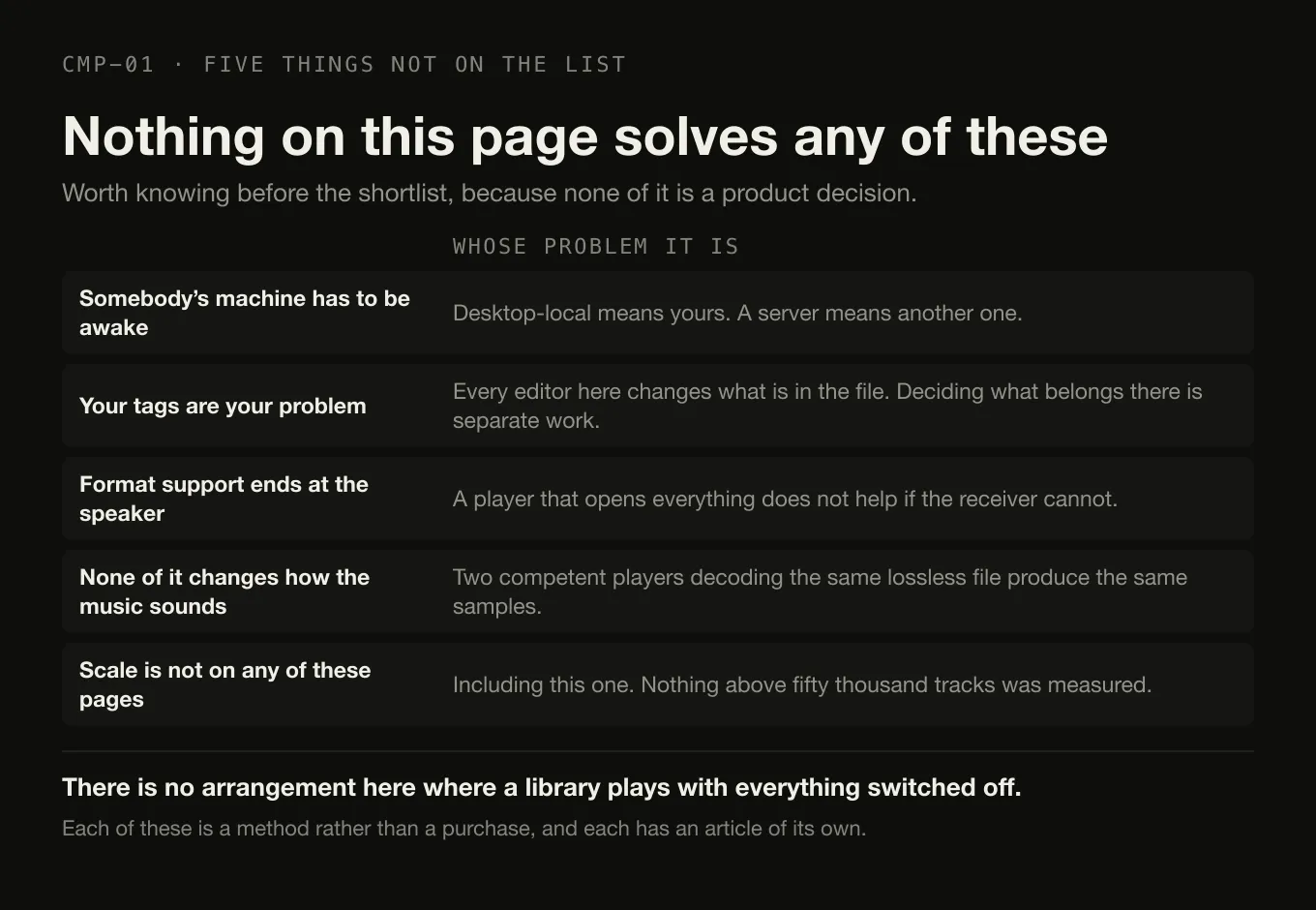
- Somebody’s machine has to be awake. Desktop-local means yours; server means another one. There is no arrangement here where a library plays with everything switched off.
- Your tags are your problem. Every tag editor on this page edits what is already in the file. Deciding what should be in the file is a separate piece of work that no application does for you.
- Format support ends at the speaker. A player that opens everything does not help if the receiver at the other end does not — which is the constraint that decides network playback.
- Nothing here changes how the music sounds. Two competent players decoding the same lossless file produce the same samples; the playback path is where the differences actually are, and they are not the differences marketing talks about.
- Scale is not on any of these pages, including this one. No claim about behaviour at fifty thousand tracks appears above, because nothing was measured. Organising a library at that size is a method rather than a product.
The short version
- Choose the architecture first. Desktop-local, server plus client, media centre, component player, or Apple’s ecosystem — the arrangement decides more than the brand.
- Tag editing: Swinsian on macOS, MusicBee or foobar2000 on Windows. Digr cannot do it at all.
- One library, several rooms: Roon, at $14.99 per month billed monthly, $12.49 per month billed annually, or $829.99 lifetime. Plexamp if a Plex server already exists.
- Free and capable: foobar2000, on four platforms, with gapless and full ReplayGain.
- An iPhone in the picture: the Music app, or Doppler at $30 USD once. Apple’s own format list does not include FLAC.
- Never touches your files, no account, casts the original file to Google speakers: Digr, on an Apple silicon Mac, if you can accept an alpha with no tag editing, no gapless and no ReplayGain.
- The choice is often decided by something that is not a feature — a phone, a platform, an existing server, or how much configuring you enjoy.
Two narrower questions have their own pages: which of these to choose on a Mac, and which one to use for a FLAC library. If the speakers are the problem rather than the software, the casting shortlist is the one to read. And if the choice has come down to the free Windows manager against the free Mac one, MusicBee and Digr do not run on the same computer, which decides more of that comparison than any feature does.
Sources
Every product fact above comes from that product’s own site or documentation, checked on 27 August 2026. No affiliate roundup, software directory, forum or review was used as a source for any capability or price.
- Roon — pricing — “$14.99 / month” billed monthly, “$12.49 / month” billed annually, “$829.99” lifetime, and a free trial. No tax statement appears on the page
- Roon — how Roon works — “The Roon Server is the brain of your system. It manages your music files, streaming services, and your audio devices”; server on Nucleus, ROCK, Mac, Windows, Linux and supported NAS; Roon Ready, USB Audio, HDMI, AirPlay, Chromecast, SONOS and Bluetooth as output technologies
- Roon — minimum requirements — Windows 10 or later, macOS 12+, Linux and NAS platforms; recommended Intel Core i3 Ivy Bridge or newer, 4GB RAM, SSD boot drive; and “A free Roon account is required”
- Audirvāna — Studio subscription price — “$79.99 (without VAT) or €79.99” per year and “$7.99 (without VAT) or €7.99” per month, with the final price depending on country and currency across sixteen currencies
- Audirvāna — Origin licence price — “$149.99 (without VAT) - €149.99”, reduced to “$119.99 (without VAT) - €119.99” for previous Audirvāna owners
- Audirvāna — Studio compared with Origin — Origin excludes streaming integration and “Online metadata recovery (universal track ID identification)” and offers the Signal Processing Suite “via paid option”; both editions include an “Exclusive Core Player” and a “Library manager & browser (>500K tracks)”
- Audirvāna — requirements — macOS 10.15 or newer, Windows 10 64-bit 1809, and Linux via Debian or RPM package
- JRiver Media Center — purchase — Master Licence “$124.98 (recommended, since it is valid for Windows, Mac, and Linux)”, “valid for a single major version for all available Operating Systems”; Windows or Mac “$99.98”, Linux “$79.98”; reduced upgrade pricing; “Prices are subject to change without notice”
- JRiver Media Center — “audio, image, television, & video”, and “Phones and DLNA too”
- Swinsian — “Buy for $34.95”, a free trial, the thirteen-format list, “Find and replace tag editing, with regex support”, “Gapless playback”, “Playback over AirPlay”, folder watching, smart playlists and a duplicate track finder
- Swinsian — FAQ — “Swinsian can be used on any Mac running macOS 10.13 or later”, a thirty-day free trial, and a 40% upgrade discount for Swinsian 2 licensees
- Swinsian 3, 19 August 2025 — “native support for Apple Silicon and Intel Macs”, the macOS 10.13 minimum, the $34.95 price, and ReplayGain and SoundCheck recognition
- foobar2000 — “an advanced freeware audio player”, “No strings attached, no telemetry, no data collection”, “Gapless playback”, “Full ReplayGain support”, “Advanced tagging capabilities”, and builds for Windows, macOS, Android and iOS
- foobar2000 for macOS and for Windows — version 2.25.10 on both, “macOS 11 ‘Big Sur’ or newer” on an “Intel or Apple Silicon processor”, and “Windows 7 or newer”
- Doppler and Doppler features — “Mac + iOS”, “$30 USD”, “macOS 11 Big Sur or newer”, “MP3, AAC and M4A as well as high-quality lossless formats like FLAC, ALAC and WAV”, metadata editing, Artwork Search, Merge Albums, and a seven-day free trial on iPhone
- Apple — import items already on your computer —
File > Add To Library“to add the songs to your library, but not copy them to your Media folder”,File > Importto copy them in, and “By default, Music places a copy of each audio file in the Music folder” - Apple — use Sync Library — “Sync Library requires a subscription to Apple Music. You can also use Sync Library with an iTunes Match subscription”, and “Apple Music isn’t a backup service”
- Apple — convert music file formats — the formats Apple names are AAC, AIFF, Apple Lossless, MP3 and WAV. FLAC does not appear
- MusicBee —
getmusicbee.comreturned HTTP 403 to this environment on 27 August 2026. Its platform is corroborated by the Microsoft Store listing, which is a Windows listing, and gapless playback and auto-tagging appear in the vendor’s own copy. Its ReplayGain and casting behaviour is listed as unverified above rather than being taken from a third party - Plexamp — plex.tv/plexamp returned HTTP 403 on 27 August 2026. The server requirement quoted above — that the Plex Media Server is needed to use the app with personal music content — was recorded from that page on 26 August 2026, and no Plex price appears in this article because none could be verified
- Strawberry — named in the architecture diagram as a desktop-local player. “Strawberry is free software released under GPL”, with macOS 14 Sonoma or later and Windows 10 or later, and the condition that “access to macOS and Windows releases are currently restricted to sponsors, a 7 USD monthly sponsorship is required for new subscribers”
- Digr — features and current capabilities and Digr — pricing — every Digr claim above, including the absences. Digr Pro is not purchasable
Common questions
Do local music players need an internet connection?
To play files from your own disk, no — but several of these applications need one for something else. Roon states that a free Roon account is required, and Plexamp needs a Plex Media Server and a Plex account for personal music. Apple’s Music app plays local files without a subscription, but its Sync Library feature requires an Apple Music or iTunes Match subscription. Swinsian, foobar2000, MusicBee, Doppler and Digr have no account requirement at all, so they keep working with the network switched off.
Do I need a music server to play my own music files?
No. A server is one architecture among several, and two of the ten applications compared here use it: Roon, whose own documentation calls the Roon Server “the brain of your system”, and Plexamp, which needs a Plex Media Server for personal music. The rest are single applications that index a folder on the machine they run on. A server buys you a library that several devices can reach; it costs you a machine that has to stay awake.
Which local music players work without an account?
On the evidence of each vendor’s own requirements pages, checked on 27 August 2026: Swinsian, foobar2000, MusicBee, Doppler, Audirvāna, JRiver Media Center and Digr all run without an account for local playback. Roon requires a free Roon account. Plexamp requires a Plex account and a Plex Media Server. Apple’s Music app plays local files without a subscription, but signing in is what turns on Sync Library.
Will a music player change the files in my music folder?
Several will, by design — that is what a tag editor does. Swinsian, MusicBee, foobar2000, Doppler and JRiver Media Center all write tags. Apple documents that the Music app copies each imported file into its own Media folder by default, which is a different kind of change and the one that surprises people. Digr never writes to an audio file at all: scanning reads tags and artwork and nothing else, which is also why it cannot fix a wrong album title.
Is there one local music player that runs on every platform?
foobar2000 comes closest: the vendor publishes builds for Windows, macOS, Android and iOS, all currently at version 2.25.10, and it is freeware. JRiver Media Center covers Windows, Mac and Linux under one Master Licence. Nothing on this list covers every platform including mobile with one library, because a library that follows you between machines is a server or a cloud service rather than a desktop application.
- local music player
- music library software
- Roon
- foobar2000
- Swinsian
- MusicBee
- JRiver
- Plexamp
- Doppler
- Audirvana