Best music players for Mac for a local music library
Compare the best music players for Mac when your music is stored locally, with macOS requirements, Apple silicon support and licensing checked against each vendor.
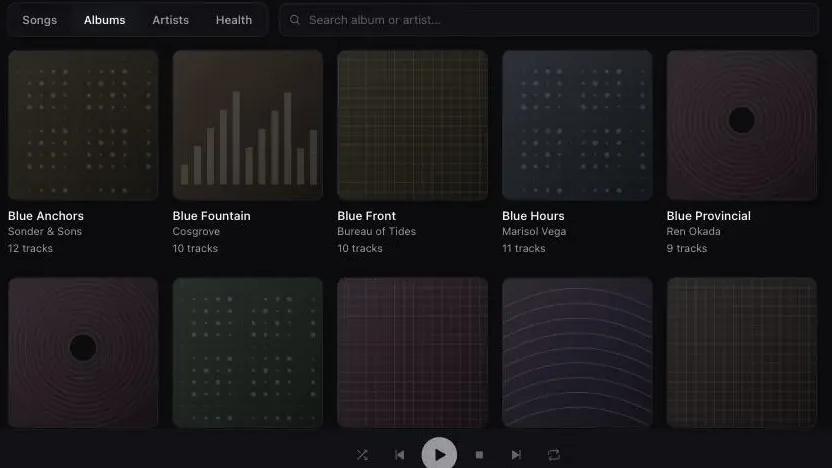
If your tags need work, buy Swinsian. If you want it free and do not mind configuring it, install foobar2000. If the same library has to be on your iPhone, the answer is Doppler or Apple’s own Music app, and which one depends on whether you want a subscription in the picture. If you have a DAC and care about the output path, look at Audirvāna; if you have speakers in four rooms, look at Roon and accept that it needs a server. Digr is on this list as a macOS-only alpha that never writes to your files and cannot edit a tag.
Seven applications, every requirement and price taken from the vendor’s own page. If the harder problem is keeping the files themselves orderly, pair this shortlist with a durable music folder structure and the full capability list for Digr.
Competitor facts and prices in this article were checked on 27 August 2026. Minimum-macOS numbers move faster than anything else on this page, so each one is dated in the table and sourced at the foot.
Who is publishing the answers you are already getting
Worth knowing before you weigh anybody’s shortlist. On the day this was written, the first screen of results for “best music player for mac” contained:
- a roundup on
mac.eltima.com, published by a company that sells a media player; - a roundup on
elmedia-video-player.com— the same company, second domain; vox.rocks, a player vendor’s own product page, ranking directly for the category term;- a roundup by a subscription software bundle;
- two publisher listicles, one of which is titled “Best Audio Players for macOS
(2026)” at a URL ending
best-audio-players-for-macos-2025.
None of that makes their recommendations wrong. It does mean that three of six results have a product in the race and none of them says so, and that the last one was re-titled for a new year without being re-reported — which is the exact failure this site avoids by putting no year in a title and a verification date in the body instead.
The Music app, precisely
Most Mac roundups either dismiss Apple’s Music app or defend it, and both are useless because the app is three different things depending on one switch. Apple documents all three.
One application, three arrangements
-
Local files only
No subscription involved
File > Add To Library · File > Import
Apple documents two commands: Add To Library adds songs “but not copy them to your Media folder”, and Import copies them in. By default “Music places a copy of each audio file in the Music folder”. Nothing here needs an Apple Music subscription.
-
Sync Library on
The library becomes a service
Requires Apple Music or iTunes Match
Apple states plainly that “Sync Library requires a subscription to Apple Music. You can also use Sync Library with an iTunes Match subscription.” This is the feature people mean when they say the Music app is not local, and it is opt-in.
-
The format ceiling
Apple’s own list, and what is missing from it
AAC · AIFF · Apple Lossless · MP3 · WAV · HE-AAC
Those are the formats Apple names for importing and converting. FLAC is not among them — which is the single reason most of the people reading this page are reading it.
For a reader who syncs an iPhone through Finder, buys from the iTunes Store, or wants one library on a Mac and a phone without thinking about it, the Music app remains the right answer and the rest of this page is a detour. For a reader with a FLAC collection, it is a dead end at the first import, and the FLAC-or-ALAC decision is the one to make before converting anything.
What runs natively on macOS today
Every figure from the vendor, on 27 August 2026.

| Minimum macOS | Apple silicon | Plays FLAC | Tag editing | Gapless | Server or account | Licence | |
|---|---|---|---|---|---|---|---|
| Swinsian | 10.13 | Yes — stated | Yes | Yes — regex find and replace | Yes | Neither | $34.95 one-time |
| foobar2000 | 11 Big Sur | Yes — stated | Yes | Yes | Yes | Neither | Freeware |
| Doppler | 11 Big Sur | Not separately stated | Yes | Yes | Not stated | Neither | $30 USD one-time |
| Audirvāna | 10.15 | Not separately stated | Yes | Not stated | Not stated | Vendor account for licensing | Subscription or perpetual — see below |
| Roon | 12 | Not separately stated | Yes | Not stated | Not stated | Server required; free Roon account required | Subscription or lifetime |
| Music app | Ships with macOS | Not applicable | Not in Apple’s format list | Yes | Not stated | Apple Account for Sync Library | Included |
| Digr | 11 Big Sur | Apple silicon only — no Intel build | Yes | No | No | Neither | Free; Pro not purchasable |
Two entries on that table need a sentence.
Roon’s macOS floor is the highest here, at macOS 12, and Roon is also the only product on the page that will not work at all without something else running. Roon’s own page calls the Roon Server “the brain of your system”, and its requirements page states that “a free Roon account is required”.
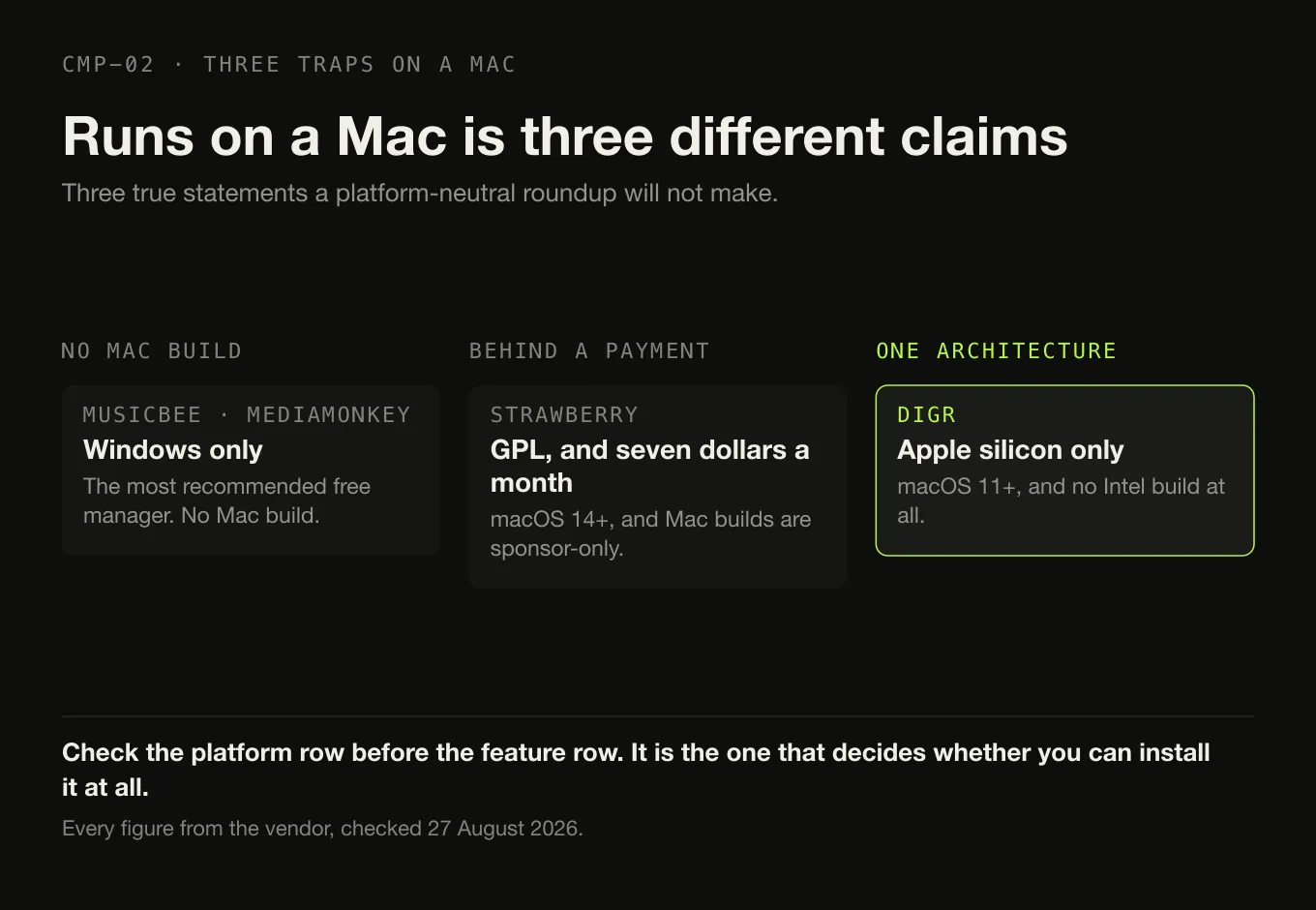
Digr’s row has the narrowest platform of all of them. Apple silicon only,
because the release workflow builds a single aarch64 target — an Intel Mac
owner who downloads it has wasted the download, and that is worth saying before
anything else about the product.
Two applications worth naming and setting aside. MusicBee is the most commonly recommended free music manager on the internet and it does not run on macOS; there is no Mac build. Strawberry does have a macOS build, requires macOS 14 Sonoma or later, and although it is GPL software the vendor states that “access to macOS and Windows releases are currently restricted to sponsors, a 7 USD monthly sponsorship is required for new subscribers” — a licence condition that “free and open source” does not prepare you for.
What you actually want
Six needs, one recommendation each, and the same product does not win twice.
Pick the row you recognise
Swinsian Find-and-replace tag editing with regex support, folder watching and a duplicate finder. $34.95 once, thirty-day trial.
Not Digr Digr has no tag editing whatsoever. This is the row it loses most clearly.
foobar2000 Version 2.25.10, macOS 11 or later, Intel or Apple silicon, gapless playback and full ReplayGain in the base product.
The catch The default interface is a starting point rather than a finished product.
Doppler Mac and iPhone, $30 USD once for the Mac app, transfers over Wi-Fi, USB or AirDrop, and plays FLAC and ALAC.
Or the Music app If you already sync through Finder and your files are AAC or Apple Lossless.
Audirvāna An “Exclusive Core Player” aimed at USB DACs, and a library browser the vendor documents past 500,000 tracks.
Choose the edition Origin is local-only and perpetual; Studio is a subscription and adds streaming.
Roon Roon Ready, USB, HDMI, AirPlay, Chromecast, SONOS and Bluetooth endpoints from one server.
The cost macOS 12 or later, a free Roon account, and a subscription or an $829.99 lifetime licence.
Digr Reads tags and never writes them, no account, and streams the original file to a Google Cast device.
Only if you are on Apple silicon, can accept an alpha, and do not need tag editing, gapless playback or AirPlay.
The three worth a longer look
Swinsian is the closest thing macOS has to a collector’s player. Version 3 arrived in August 2025 with native Apple silicon and Intel support, a macOS 10.13 minimum, expanded classical tagging fields — Movement, Movement Name, Work, Original Release Date, Barcode and Lyricist — a folder view, per-track volume, hog-mode audio device control, ReplayGain and SoundCheck recognition, and export back out as an iTunes-style XML file. Its format list runs FLAC, MP3, AAC, ALAC, Ogg Vorbis, WMA, WAV, Opus, AC3, AIFF, MusePack, DSF and APE. $34.95, one-time, with a thirty-day trial and a 40% upgrade discount for Swinsian 2 licensees. If you are going to pay for one application on this page, this is the one that pays you back in repaired metadata.
Doppler is the narrowest product here and the clearest about it: Mac and iPhone, one-time purchase, no server, no account, no subscription. It edits metadata, searches for artwork, merges albums that arrived split, and moves music onto the phone over Wi-Fi, USB or AirDrop. The Mac app is $30 USD; the iPhone app includes a seven-day free trial. For a reader whose actual requirement is “my own files, on my Mac and in my pocket, without Apple Music”, this is the product that was designed for that requirement and Digr is not a competitor for it.
foobar2000 is free, actively developed — version 2.25.10 on macOS with a 2.26 preview dated 5 August 2026 — and covers the two capabilities most paid players charge for: gapless playback and full ReplayGain support. It runs on macOS 11 or later on Intel or Apple silicon, and the vendor’s description is worth quoting because it is also the product’s design brief: “No strings attached, no telemetry, no data collection.”
What it costs
| Figure | Period | Model | Tax | |
|---|---|---|---|---|
| foobar2000 | Free | — | Freeware | — |
| Music app | Included with macOS | — | — | Sync Library needs an Apple Music or iTunes Match subscription |
| Doppler | $30 USD | one-time | Perpetual | Not stated |
| Swinsian | $34.95 | one-time | Perpetual | Not stated |
| Audirvāna Studio Access | $7.99 / €7.99 monthly, or $79.99 / €79.99 yearly | monthly or yearly | Subscription | Excluding VAT |
| Audirvāna Origin | $149.99 / €149.99 | one-time | Perpetual licence | Excluding VAT, $119.99 / €119.99 for prior owners |
| Roon | $14.99 per month billed monthly, or $12.49 per month billed annually | monthly or annual | Subscription | Not stated |
| Roon | $829.99 | one-time | Lifetime | Not stated |
| Digr Free | £0 | — | Free | — |
| Digr Pro | £4.99 / £49.99 / £109.99 | month / year / one-time | Not purchasable | — |
Roon’s two per-month figures are not comparable without their labels: $14.99 is the monthly rolling price and $12.49 is the annual price divided by twelve. Audirvāna’s figures exclude VAT and the vendor notes that the final price depends on your country across sixteen currencies. Digr Pro has no checkout, no payment processor and no licence system in the application, so its prices are a published model rather than something you can buy.
If you are already an Audirvāna user weighing the subscription rather than choosing a first Mac player, the two editions and the exits from each are compared separately — and for the most common objection the answer turns out to be the other edition.
Where Digr is on a Mac
The limits first, because they decide whether the rest is relevant.
Digr runs on Apple silicon only. There is no Intel build. It needs macOS 11 Big Sur or later, and it is an alpha. It has no tag editing, no MusicBrainz lookup, no gapless playback, no ReplayGain, and no AirPlay — Google Cast is the only network protocol it speaks, which on a Mac is the opposite of what most people expect. There is no Digr application for iPhone and none is planned; iOS and iPadOS are on the permanently-not-planned list. Digr Pro is not purchasable.
What is left is a narrow promise. Digr indexes MP3, FLAC, ALAC, M4A, AAC, WAV and OGG and plays all but OGG locally, reading tags and artwork out of the file without contacting any lookup service. It never writes to an audio file: the point of a local-first player is that removing it leaves the collection exactly as it was. There is no account and no telemetry. An unplugged external drive marks its root offline rather than deleting the tracks. Google Cast devices are found over multicast DNS and handed the original file rather than a re-encode. The full current capability list is published, including what is missing from it.
If you have read this far and your problem is tags, buy Swinsian. If your problem is a phone, buy Doppler. Digr is the answer to a narrower question than either.
What no Mac player fixes
- Apple’s format list is Apple’s. No third-party player changes what the Music app will import, and no amount of software makes FLAC appear in it.
- Your folder structure is still your decision. Every application here reads a folder; what should be in that folder is a choice you make once and live with, and keeping a large library in order is a routine rather than a purchase.
- Speakers in other rooms are a protocol question, not a Mac question. Which application you install matters less than which protocol your speakers actually speak — and on a Mac, AirPlay and Google Cast are not interchangeable.
- The output path is not the player. Two competent applications decoding the same lossless file produce the same samples; what happens between the file and the speaker is where the real variables are.
- Playing a file and managing a library are different jobs. If all you need is the first, the shortest route on a Mac does not involve buying anything.
The short version
- Tags: Swinsian, $34.95 once, native on Apple silicon, macOS 10.13 or later.
- Free: foobar2000 2.25.10, macOS 11 or later, gapless and full ReplayGain.
- iPhone: Doppler at $30 USD, or Apple’s Music app if you are already inside the ecosystem.
- DAC and output path: Audirvāna, in the edition that matches how you prefer to pay.
- Several rooms: Roon — macOS 12 or later, a server, and a free Roon account.
- The Music app is not one thing. Local files need no subscription; Sync Library does. FLAC is not on Apple’s list.
- MusicBee does not run on macOS, whatever the roundups say.
- Digr: Apple silicon only, alpha, no tag editing, no gapless, no ReplayGain, no AirPlay — and it never writes to your files.
For the platform-neutral version of this comparison, including the server and media-centre options, the category page covers all five architectures. If FLAC is the reason you are switching, the FLAC-specific shortlist goes further into what each application does with the format. And if the shortlist has already narrowed to the two native players that are not Apple’s, Digr and Swinsian are compared row by row — a comparison Swinsian wins.
Sources
Checked 27 August 2026, each against the vendor’s own site or documentation. No roundup, directory, forum or review was used as a source for any capability or price.
- Swinsian — “Buy for $34.95”; the thirteen-format list beginning with FLAC; “Find and replace tag editing, with regex support”; “Gapless playback”; “Playback over AirPlay”; folder watching; smart playlists; duplicate track finder
- Swinsian — FAQ — “Swinsian can be used on any Mac running macOS 10.13 or later”; a thirty-day free trial; a 40% upgrade discount for Swinsian 2 licensees
- Swinsian 3, 19 August 2025 — “native support for Apple Silicon and Intel Macs”; “Swinsian now requires a minimum of macOS 10.13”; the classical tagging fields; ReplayGain and SoundCheck recognition; hog mode; iTunes-style XML export
- Doppler — “MP3, AAC and M4A as well as high-quality lossless formats like FLAC, ALAC and WAV”; “macOS 11 Big Sur or newer”; “iOS 26 or newer”; “$30 USD”; transfer over Wi-Fi, USB or AirDrop
- Doppler — features — “Mac + iOS”; “Edit and organise song and album metadata”; “Artwork Search”; “Merge Albums”; “Includes 7 day free trial”
- foobar2000 for macOS — version “2.25.10”; “macOS 11 ‘Big Sur’ or newer”; “Intel or Apple Silicon processor”
- foobar2000 — “an advanced freeware audio player”; “No strings attached, no telemetry, no data collection”; “Gapless playback”; “Full ReplayGain support”; “Advanced tagging capabilities”
- Audirvāna — requirements — “macOS 10.15 or newer”, 4GB RAM
- Audirvāna — Studio compared with Origin — the “Exclusive Core Player”; “Library manager & browser (>500K tracks)”; “USB DAC and wireless connection”; Origin’s exclusion of streaming and of “Online metadata recovery (universal track ID identification)”
- Audirvāna — Studio price and Origin price — “$79.99 (without VAT) or €79.99” yearly and “$7.99 (without VAT) or €7.99” monthly; Origin at “$149.99 (without VAT) - €149.99”, or “$119.99 (without VAT) - €119.99” for previous owners
- Roon — minimum requirements — “macOS 12+”; recommended Intel Core i3 Ivy Bridge or newer, 4GB RAM, SSD boot drive; “A free Roon account is required”
- Roon — how Roon works — “The Roon Server is the brain of your system”; Roon Ready, USB Audio, HDMI, AirPlay, Chromecast, SONOS and Bluetooth
- Roon — pricing — “$14.99 / month” billed monthly; “$12.49 / month” billed annually; “$829.99” lifetime
- Apple — import items already on your computer — Add To Library “but not copy them to your Media folder”; Import to copy them in; “By default, Music places a copy of each audio file in the Music folder”
- Apple — use Sync Library — “Sync Library requires a subscription to Apple Music. You can also use Sync Library with an iTunes Match subscription”
- Apple — convert music file formats — AAC, AIFF, Apple Lossless, MP3 and WAV, plus HE-AAC. FLAC does not appear
- Strawberry — “macOS 14 (Sonoma) or higher”; “Strawberry is free software released under GPL”; “Access to macOS and Windows releases are currently restricted to sponsors, a 7 USD monthly sponsorship is required for new subscribers”
- MusicBee —
getmusicbee.comreturned HTTP 403 to this environment on 27 August 2026; the Microsoft Store listing is a Windows listing, which is the only claim made about it here - Digr — features and current capabilities and Digr — pricing — every Digr claim above, including the absences, and the note that Digr Pro is not purchasable
Common questions
What is the best Mac music player for FLAC?
Swinsian and foobar2000 are the two strongest, and both are native on Apple silicon. Swinsian lists FLAC first in its own format list and adds gapless playback and regex tag editing for $34.95 one-time; foobar2000 is freeware, currently at version 2.25.10 for macOS 11 or later, with gapless playback and full ReplayGain support. Doppler also plays FLAC and is the one to pick if the same library has to reach an iPhone. Apple’s Music app does not list FLAC among the formats it imports.
Can I replace the Music app for local files on a Mac?
Yes, for everything except the Apple ecosystem itself. Swinsian, foobar2000, Doppler, Audirvāna and Digr all index a folder of files without Apple involved. What you give up is iPhone syncing through Finder, Apple Music integration, and Sync Library — which is Apple’s feature for making one library appear on every device and which requires an Apple Music or iTunes Match subscription. If none of those matter to you, nothing is lost.
Do I need an Apple Music subscription to play my own files on a Mac?
No. Apple documents adding your own files as a File menu command — File > Add To Library, or File > Import — with no subscription mentioned. The feature that does require one is Sync Library, which makes your library available across your devices: Apple states that it “requires a subscription to Apple Music” or an iTunes Match subscription. Playing a file that is already on your disk is not that feature.
Which Mac music players are native on Apple silicon?
Two of the seven compared here say so themselves. Swinsian 3, released in August 2025, states native support for Apple Silicon and Intel Macs. foobar2000 for macOS states that it runs on an Intel or Apple Silicon processor. The other vendors do not make a separate Apple silicon statement on the pages checked on 27 August 2026, so no claim is made for them either way. Digr is Apple silicon only and has no Intel build at all.
Can I use MusicBee on a Mac?
No. MusicBee is a Windows application and there is no macOS build, which matters because it is one of the most frequently recommended free music managers and those recommendations come from Windows-leaning roundups. The nearest equivalents on macOS are foobar2000, which is free and covers gapless playback and ReplayGain, and Swinsian, which is paid and has the deeper tag editor.
- Mac music player
- macOS
- Apple silicon
- Swinsian
- Doppler
- foobar2000
- Apple Music
- Sync Library
- FLAC